Cet article est rédigé en anglais.
Recreate an old family photo: ideas for Thanksgiving
How to match the angle, get everyone in the frame, handle an empty space, and send the then and now pair to your family this Thanksgiving.
Par Looper Team Publié le
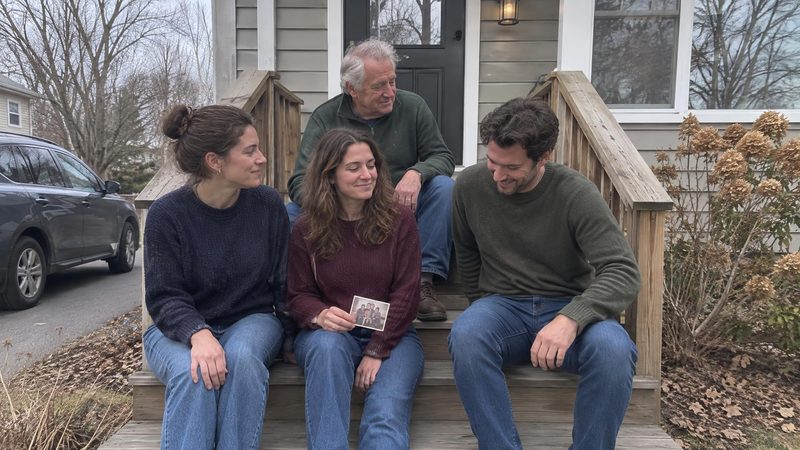
La réponse courte
Pick one old photo with the same people in it. Open it on a second phone, stand where the original photographer stood, keep your camera at 1x and rest it at a fixed height. Use the self-timer so the usual photographer is in it. Then send both photos to the people who were there.
The best old family photos to recreate are the ones everyone already half remembers: siblings squeezed onto the porch steps, a baby in a laundry basket, the blurry car trip shot where someone is mid-sneeze. Pick one of those, gather the same people, and shoot it again from the same spot. What you end up with is a then and now pair: two photos, years apart, same faces, same place.
Thanksgiving is the easiest day of the year to recreate an old family photo, because the people are finally in one house. You need three things: the original on your phone, a second phone to hold it up for comparison, and the people who were in it.
Which old family photo to recreate, and how that differs from the trends
Pick one photo, not a folder of twenty. One picture gets everyone to the right spot in five minutes; twenty turns into an afternoon nobody finishes. Lean toward the ordinary ones, too. We think the slightly bad snapshot from a random Tuesday often gets a bigger reaction than the posed holiday portrait, because everyone remembers what happened just before it was taken.
Find it before Thursday. If it lives in a shoebox at your parents' house, take a photo of the print with your phone a few days ahead, so you aren't hunting for it while the turkey rests. If you can't find it at all, text the siblings who are in it. One of them probably has a copy, and asking gets them thinking about the day.
You've probably seen versions of this online. Darcy Miller Designs describes a TikTok trend where families take the same pose as in an old picture while "I'm Just a Kid" plays. It's a good excuse to get everyone laughing.
There are also tools that build the picture for you. BringBack AI sells an AI family portrait tool that combines up to 8 separate photos into one portrait, including adding someone who has died. That's a composite, and some families will want one. A recreation is something else: the people are real, they're in the same room, and they're older now. Your brother's beard and your mom's reading glasses are the joke and the point.
Time it for Thanksgiving day
- Choose the photo before anyone arrives, and text it to the people in it so nobody is surprised.
- If the original was taken outside, shoot it as people arrive. White Loft's Thanksgiving photo tips suggest taking outdoor photos early, because late-November daylight is short.
- For an indoor shot, we'd go in the morning, before the kitchen takes over and while people still have the energy to climb onto a couch for you.
- If someone can't be there on Thursday, don't force it. White Loft says to take the photo on whatever day the family is together. For your family, that might be Wednesday night or Saturday brunch.
Match the angle and the light
Line up the background first, before anyone steps in. If the door frame and the window sit where they did in the original, the people will fall into place around them.
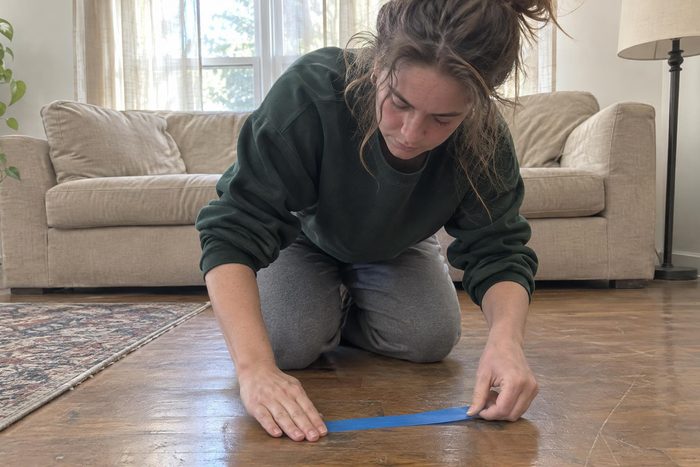
- Open the original on a second phone and hold it next to yours. White Loft suggests lining up the edges this way. Use whatever is still there: a door frame, a window, the top of the couch. It has worked when the background on both screens matches.
- Keep your camera at 1x. White Loft puts it plainly: "Stick with 1x, because the wide lens stretches anything near the edges."
- Mark where the photographer stands. White Loft suggests painter's tape on the floor indoors. Outside, a shoe or a stick on the grass does the job.
- Rest the phone at a fixed height instead of holding it, another White Loft tip. A stack of books on a chair or the kitchen counter will do. If a parent took the original standing over small kids, keep the camera that high, even though the kids now tower over the parent.
- This one is our own advice: match where the light came from. If the original was in the yard, go back to the yard. An indoor stand-in for an outdoor photo tends to look off next to the original, however carefully you pose it.
What usually goes wrong: grown-ups fill more of the frame than they did as kids. Keep the marked spot anyway and let everyone squeeze. The crowding is half the fun.
Get everyone in the shot, including the photographer
The person who took the original, often a parent, is usually missing from it. This time they can be in it.
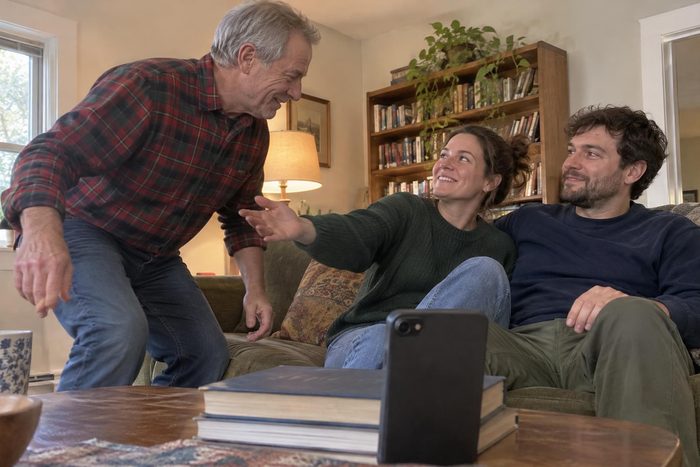
- Rest the phone at your marked height and use the self-timer, which White Loft suggests so the usual photographer can join the shot.
- If the timer keeps catching someone mid-step, hand the phone to a person who wasn't in the original: a partner, a cousin, a neighbor who came for pie.
- Take far more frames than you think you need. With five people someone blinks, and the frame just after the posed one is often where everyone is laughing.
Grown kids and teenagers are the hardest part. Photographer Rebecca Rice notes that older kids have personal space, so they need to be guided into a photo to create warmth. In practice, tell your 16-year-old exactly where to put a hand and how close to stand, instead of saying "just squeeze in". Show them the original. Most people will copy a pose they can see.
When someone from the original is missing
Sometimes the hardest part of a recreation is the person who can't be in it: a grandparent who died, a sibling serving overseas, a parent who is no longer part of the family.
White Loft's section "When the family looks different this year" offers three options:
- Leave their space empty, so the gap is part of the picture.
- Have someone hold a framed photo of the person who has died.
- Skip a year. The tradition will still be there next November.
Ask the person who was closest to them before you pick one. An empty space can feel tender to one sibling and raw to another, and a few minutes of asking beats a photo nobody wants to look at.
The AI route is there too, and some families will find comfort in a portrait that puts everyone together again. We'd keep it separate from the recreation. The then and now pair is a record of who was in the room each time, and an honest gap tells that story.
Send the pair to the people who were in it
Send both photos in one message, the old one first, with one line: "Porch steps, then and now." You don't need to explain more than that.
If the photos are in Google Photos, you can send them from the app. On Android, Google's sharing help for Android lists these options:
- Select the photo and tap Share.
- Under "Send in Photos", pick the people you want to send it to.
- Or swipe left to choose another app.
- Or tap Create link.
In the Google Photos app on iPhone, the option is called "Send in Google Photos" and the link button is Get link, according to Google's sharing help for iPhone. Google also warns on that page that anyone with a shared album's link can view the photos and add to the album. For family photos, think twice before reaching for a link. Picking people by name is the closer thing to handing them a print.
If kids are in the new photo and their parents keep them off social media, White Loft suggests photos without faces. For a recreation, that can mean shooting from behind, the way plenty of old beach photos already were.
Why send it instead of posting it
We think the people in the photo are the audience. Posted to everyone, a then and now pair might collect likes and a "who did it best" thread. Say you send it to your siblings instead. Your sister writes back that she was furious that day because you'd taken her spot on the steps, and your dad adds that the porch had been painted the week before.
You don't have to explain the photo. The two pictures and one line are enough, and the replies fill in the rest.
If someone wants to post it publicly, ask everyone in it first, especially the ones who were kids in the original and now have opinions about their bowl cut.
The same idea works on ordinary days, without a holiday to prompt it. Looper is a free memories app for iPhone and Android that turns your photos and videos from this date, 1 to 5 years ago, into a short memory video with music, which you send to the people who were there. They watch it in their browser, without the app.
Before the pie is gone, pick next year's photo while everyone is still at the table.
Questions
Do we need to match the outfits from the original photo?
No. Outfits help if someone still has the same sweater, but faces, poses and the camera angle are what make a then and now pair read as a recreation. Spend your time matching the angle and the spot instead.
What if the place in the original photo no longer exists?
Recreate the pose and the grouping somewhere similar, like a set of steps or a couch in the same kind of corner. The people are what the family recognizes, so a different background still works if everyone stands the way they did.
Sources
- 11 Thanksgiving Family Photo Tradition Ideas Beyond the Table, shopwhiteloft.com
- Recreating Old Photos, darcymillerdesigns.com
- AI Family Portrait Generator, bringback.pro
- Family Photoshoot Poses, rebeccaricephoto.com
- Share photos & videos - Android phone & tablet - Google Photos Help, google.com
- Share photos & videos - iPhone & iPad - Google Photos Help, google.com